
52nd Convocation – DU – Online Registration Process
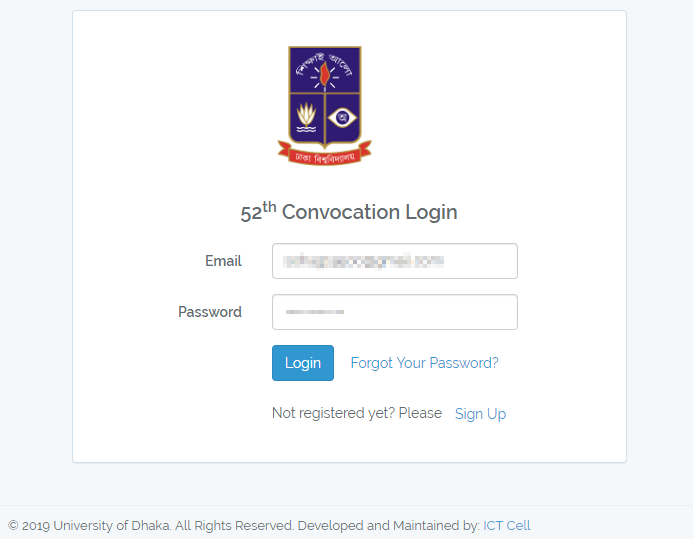
If you’re reading this, that means you’ve completed your post graduation and most probably you’re going to register for 52nd Convocation of University of Dhaka.
Now, I am going to explain the whole process, from the beginning to the end.
Step 01: Visit (http://convocation.du.ac.bd/convocation). Then you will find a page like the below image-
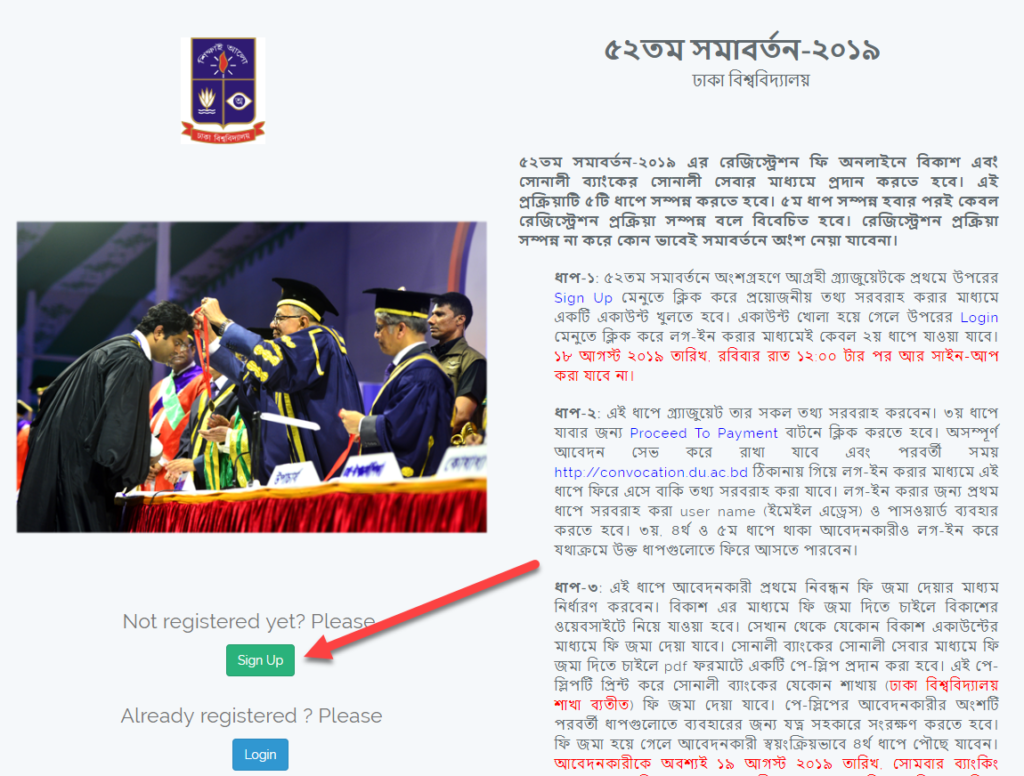
Step 02: Click Sign Up Button. Then you will be redirect to the following page-
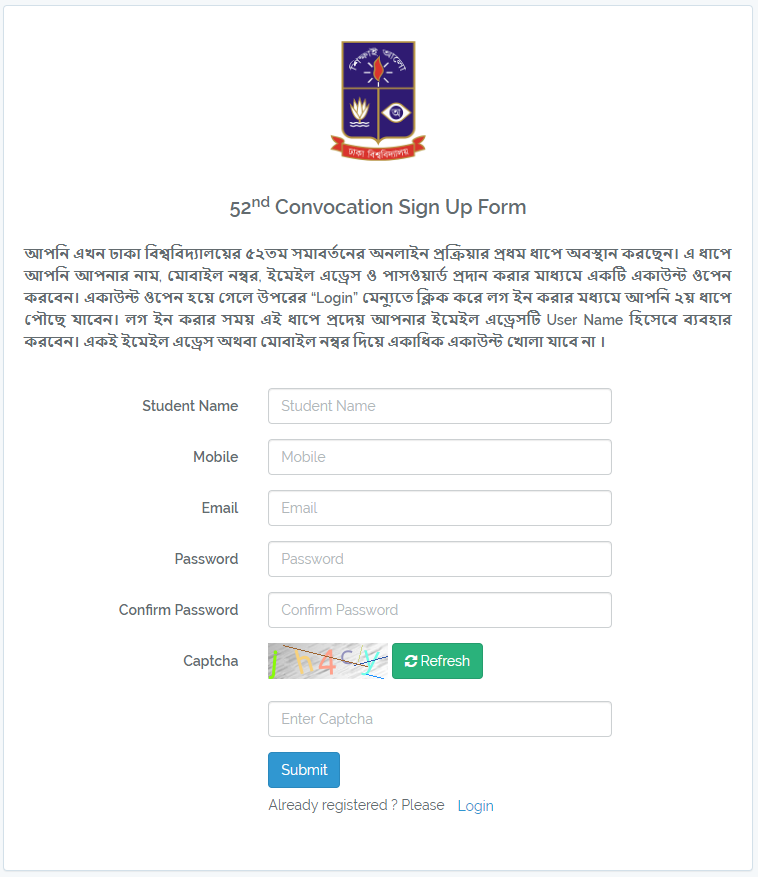
Step 03: Fill the form and click Submit button. A successful message will pop up to the same page. Click Ok button.
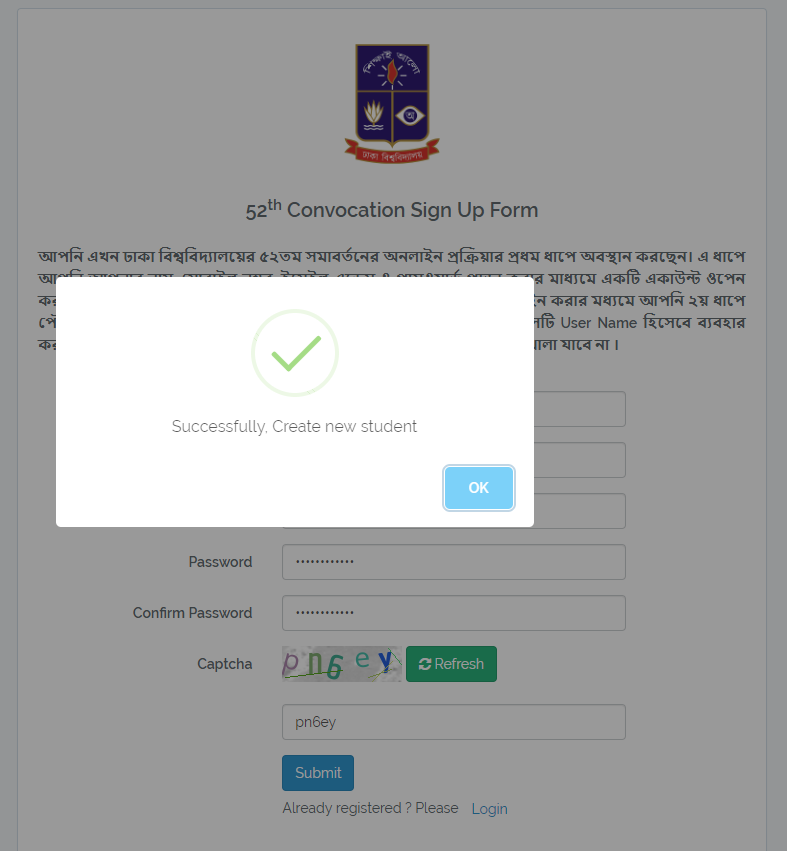
Step 04: After clicking Ok button you’ll be redirect to this page-
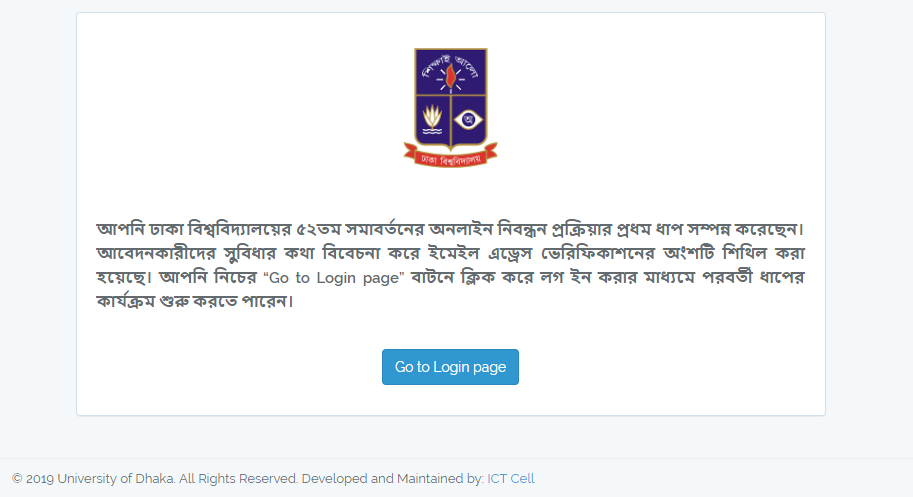
Step 05: Click Go to Login Page.
Step 06: Enter your registered email and password of this website. Then click Login button.
Step 07: After login, you’ll find a page like the following image. Click Edit information and enter all required data. This is a multi step form, once you’ve completed one step, you’ll redirect to next page. Complete all one by one. You can edit information anytime before payment. [If you’ve any question regarding this step, just comment below]
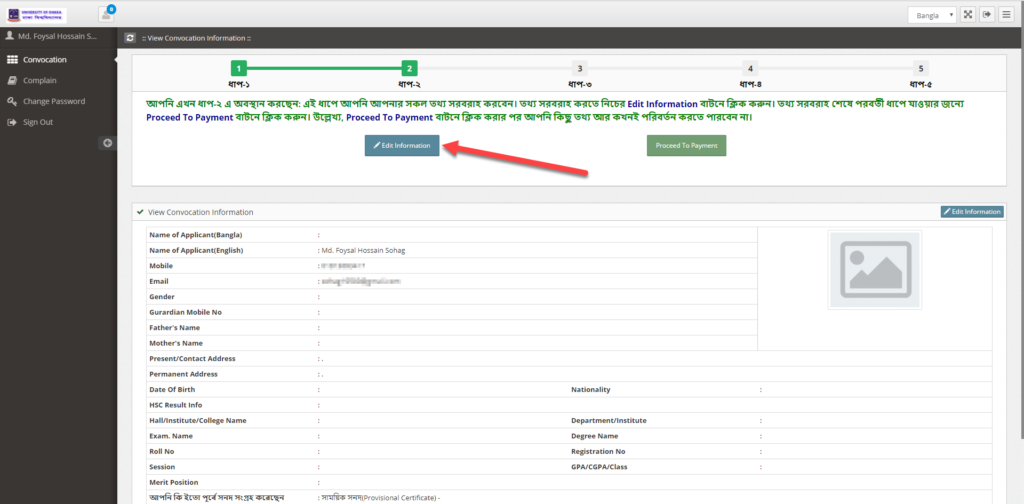
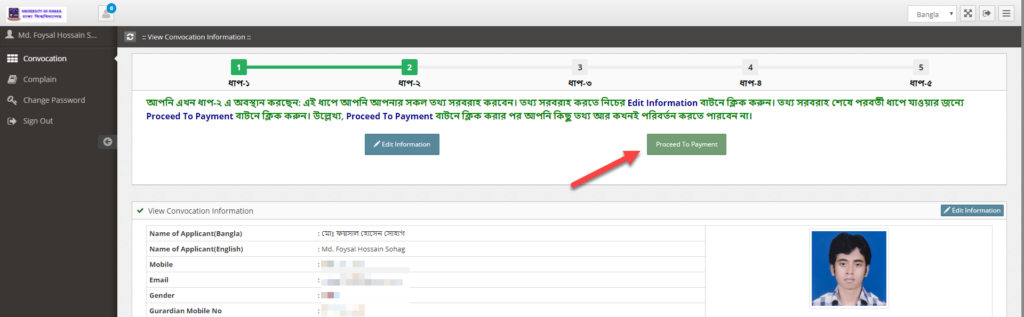
Step 08: Once you’ve reviewed all data, click Proceed to Payment.
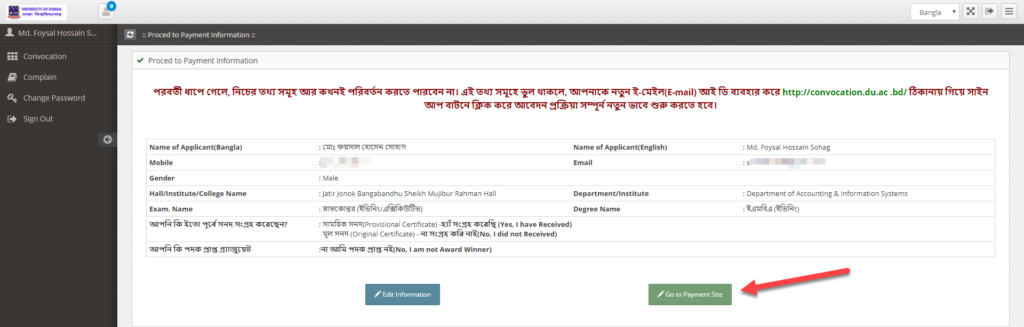
Step 09: A warning message will show. It will ask you second time to confirm whether your all given data is ok or not. If ok, Click Go to Payment Site.
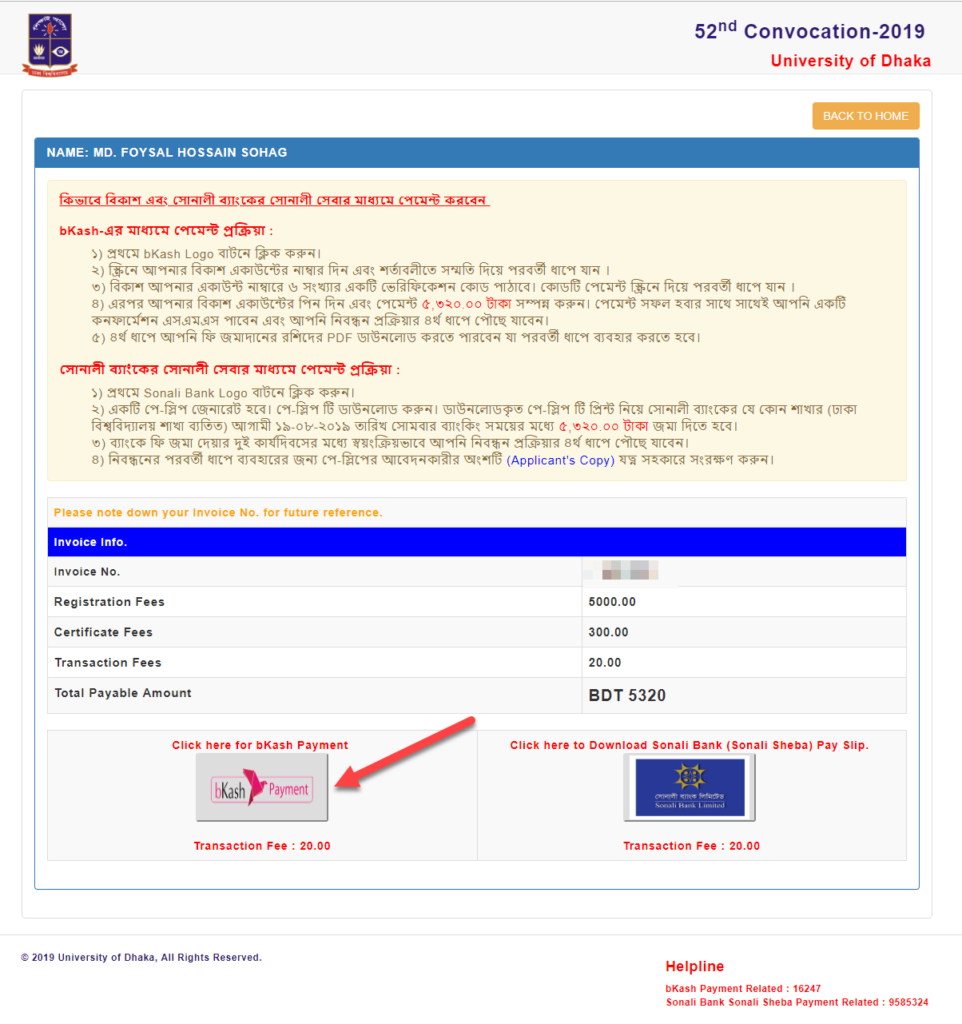
Step 10: You’ll redirect to the following payment page. I am suggesting you to select Bkash Payment option. Click on Bkash button.
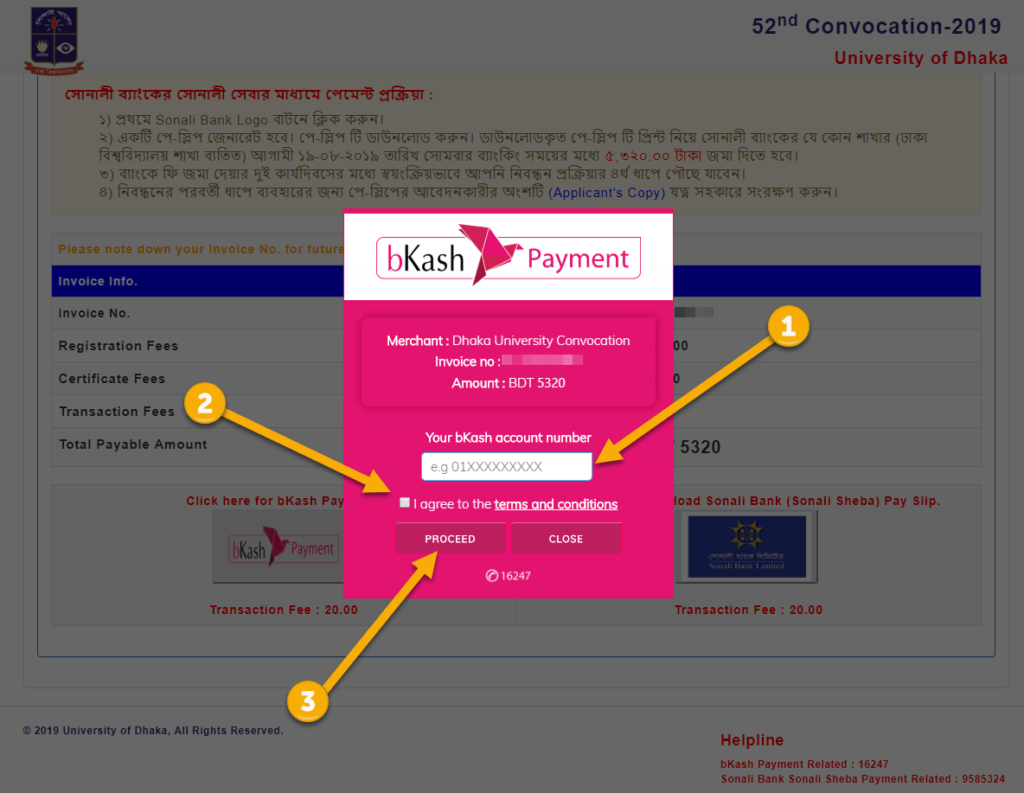
Step 11: A bkash Payment popup will appear. Enter your bkash number, check “I agree…” check box and click Proceed Button.
Now it will ask you for verification code, you’ll receive a verification code to you bkash number via sms. Enter verification code.
Now it will ask you for bkash pin. Enter your four digit bkash pin and submit it.
Step 12: Once payment is done, you’ll receive an sms of your payment and you’ll also be redirect to the following page.
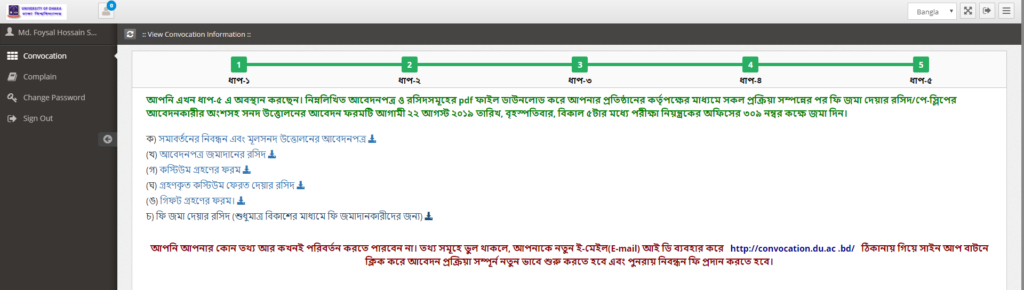
Step 13: Download all forms. And print all pdfs.
Your online registration procedure is now completed. For next steps, download a pdf attached in this post and read the instructions.
Best wishes…
